AI Rubik's Cube Solver App
Look for a Rubik's Cube solver 3x3? Quickly solve your Rubik's Cube with our AI-powered app. Whether it's a 2x2, 3x3, or 4x4 cube, this app guides you on how to solve any Rubik's Cube fast while improving your logical thinking and creativity.
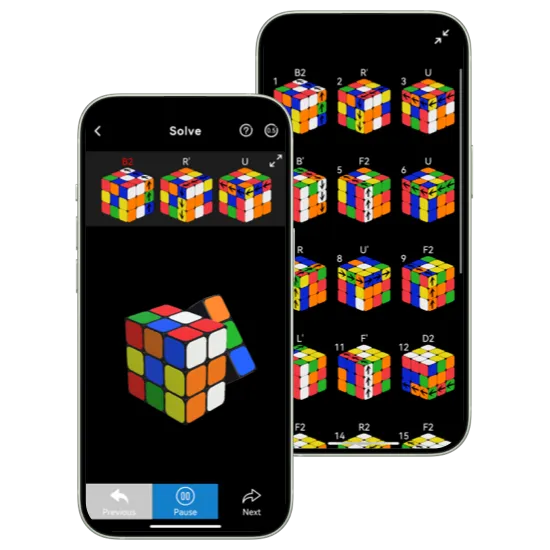
Rubik's Cube Solver App Features

Smart Input
Simply take photos of your scrambled Rubik's Cube via the Scan feature, and the AI tool will automatically recognize the current pattern and give the corresponding solution. Manual adjustments are also available for accuracy.

Optimum Algorithm
Experiencing one of the fastest and most accurate 2x2, 3x3, or 4x4 cube solvers. This application provides you with the correct solution rapidly and precisely, making the process quicker and more reliable.

Simplified Solution
Gives you clear, step-by-step instructions to solve your Rubik's Cube, making it easy to follow along and understand how to tackle each stage of the puzzle from start to finish.
Dive Into the App to Solve Rubik's Cube
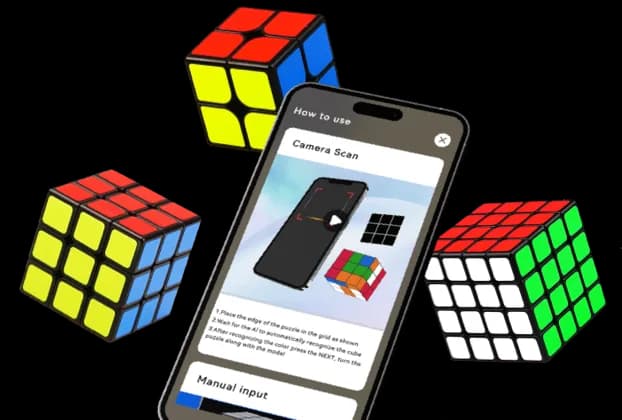
One App, Solve All Your Cubes
Tired of switching apps for different cube types? This AI app handles them all — from the beginner-friendly 2x2, the classic 3x3, to the more complex 4x4 — in one seamless experience.
Works Across Cubes:
Multiple Cube Types: Solve 2x2, 3x3, and 4x4 Rubik's Cubes — no switching apps or guides required.
Auto Cube Recognition: Automatically recognizes the cube's type accurately and adjusts the solution steps accordingly.
Simplified Solving Process: Regardless of cube complexity, follow an intuitive, step-by-step solution path.
Skill Level Adjustments: Whether you're a beginner or advanced solver, our Cube Solver app tailors the guidance to your experience level.
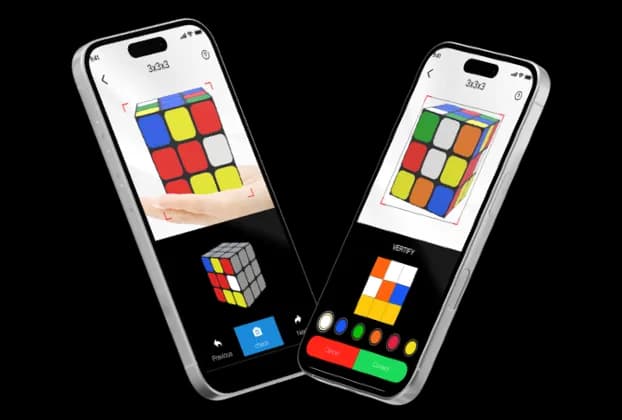
Scan or Tap — You Choose
Launch the app, point your camera at the scrambled Cube, and your personalized solution is ready within seconds. Or manual input your Cube state, the app also adapts to how you play.
Fast & Flexible Options:
Camera Scan: Simply scan five sides of your scrambled Rubik's Cube with on-screen instructions for perfect color recognition.
Manual Input: For those times when scanning isn't ideal, it also supports manual input of your cube's current state — perfect for situations where scanning isn't practical or lighting conditions vary.
Instant Solutions: The app will automatically recognize your cube's color layout and structure, then quickly generate a step-by-step solution.
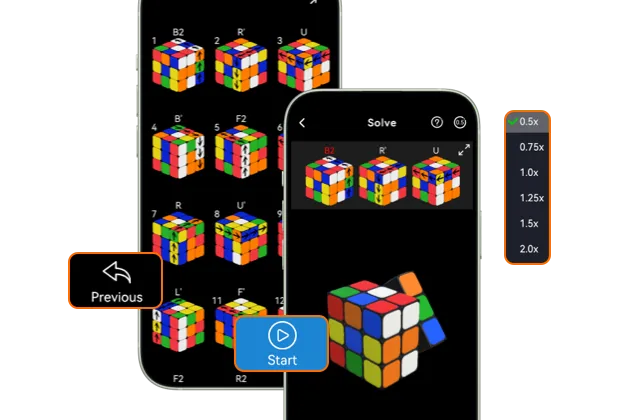
Precise Move-by-Move Guidance
Once you have corresponding solution, it's time to follow through with every step. Our Cube AI app doesn't just show you the solution, but helps you execute each move with precise, visual guidance to ensure you get it right.
Core Features:
Step-by-Step Move Instructions: From properly positioning the cube to executing each rotation, every step is clearly explained and easy to follow.
Adjustable Speed: Change the playback speed to match your hand movement, ensuring you can follow along at your own pace.
Pause and Resume Anytime: Need to stop or practice a move? Simply use the pause function to slow down at your own pace, step by step, with detailed guidance.
Beginner-Friendly: Even if it's your first time handling a Rubik's Cube, the easy-to-follow instructions help you solve step by step and build confidence as you go.
How to Use the AI Rubik's Cube Solver App
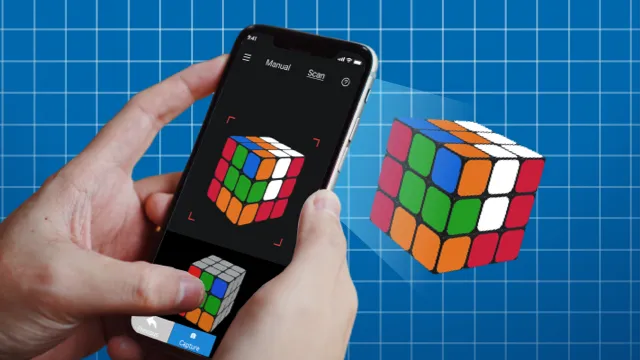
Capture Your Cube
Launch the AI app, scan your scrambled Cube, and learn how to solve a Rubik's Cube. You can also make manual adjustments for more accuracy.
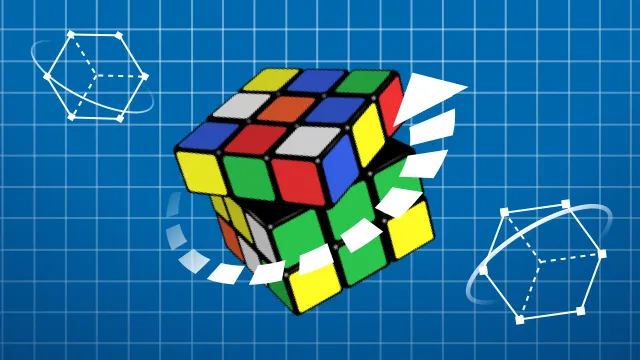
AI Processing
The Cube Solver app analyzes the current Cube state and quickly provides the most effective Rubik's Cube solver 2x2, 3x3, or 4x4 with detailed steps.
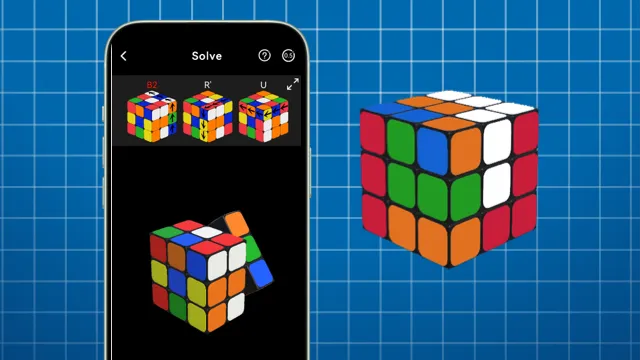
Follow the Detailed Solution
Follow simple, easy-to-understand instructions with clear animations to solve your Cube. If you miss a step, simply go back to the last step.
Frequently Asked Questions

Q: Solution goes too fast, can't even follow.
A: You can switch to step mode, which supports step-by-step solutions, and move to next step manually.
Q: Why the color is wrong even with manual coloring?
A: Please make sure that all faces are in correct colors. Double check after you've finished coloring as well. If it still goes wrong, please send e-mail to feedback@deltasoftware.com.cn, and we will troubleshoot
Q: Why it takes too long to identify the color?
A: The AI identification duration depends on the hardware computational power, which means it is different from phone to phone.
Q: Why the camera identifies the wrong color?
With the generated solving solution in hand, you can physically manipulate the rubiks cube, rotating and twisting it according to the instructions.
Trusted by cubers worldwide
- 5M+ downloads
- 4.8 average rating
- Used in 180+ countries
Get the Rubik's Cube Solver Now!
Install the Rubik's Cube Solver now and start solving with ease!